What is PhotoCraft?
- A desktop image editor that copies Photoshop's menus, panels and shortcuts, so Photoshop users feel at home straight away.
- Made in the open on GitHub by the ArtCraft team and a fast-growing group of community contributors. The repository opened at the end of September 2026 and passed 45,000 stars within two weeks.
- Free and open source under MIT or Apache-2.0. No account, no subscription, works offline.
- Runs on Windows, macOS, Linux and FreeBSD, and also in the browser through WebAssembly.
- Still early alpha: the developers say it is not yet a replacement for daily professional work.
What PhotoCraft looks like
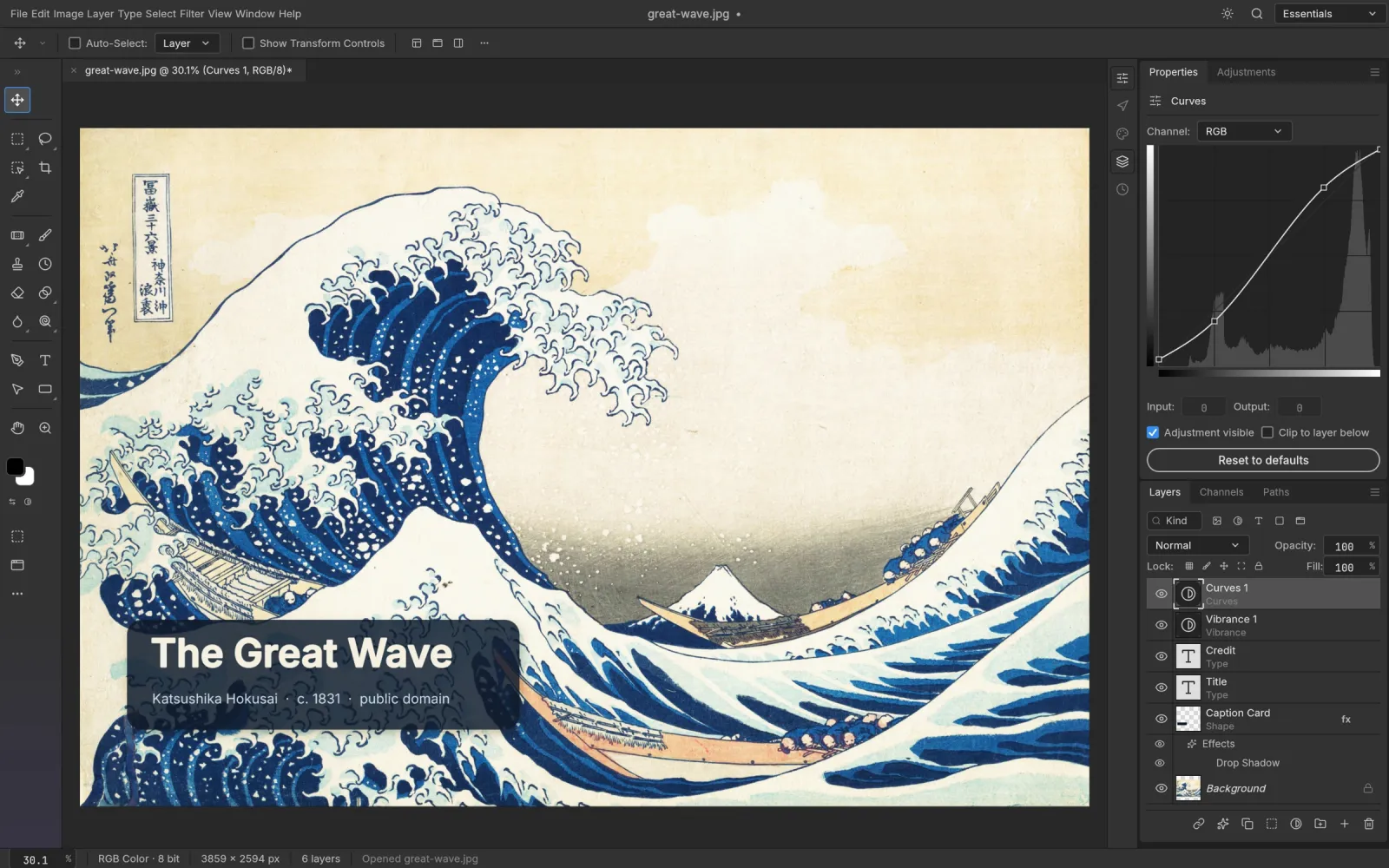
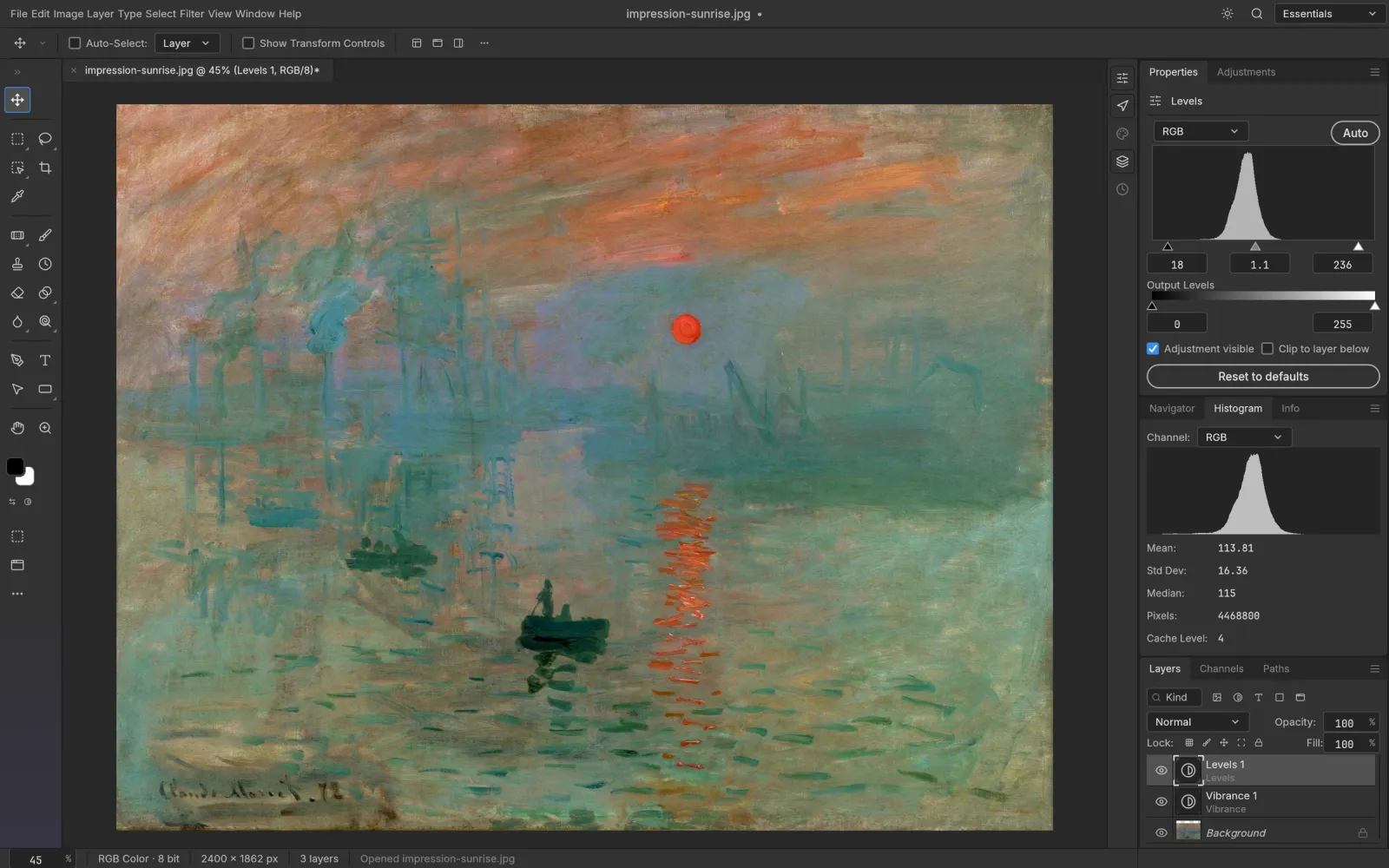
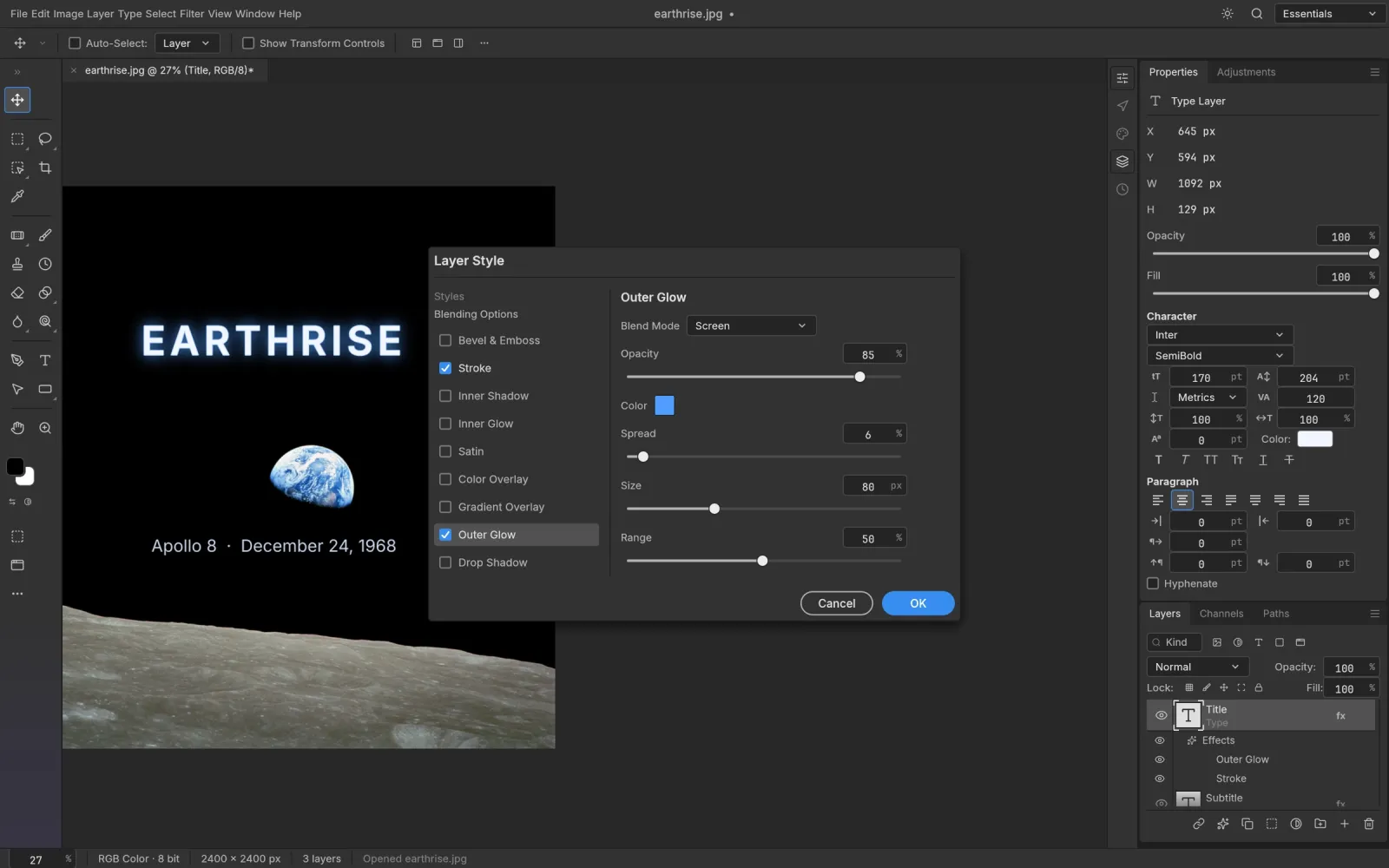
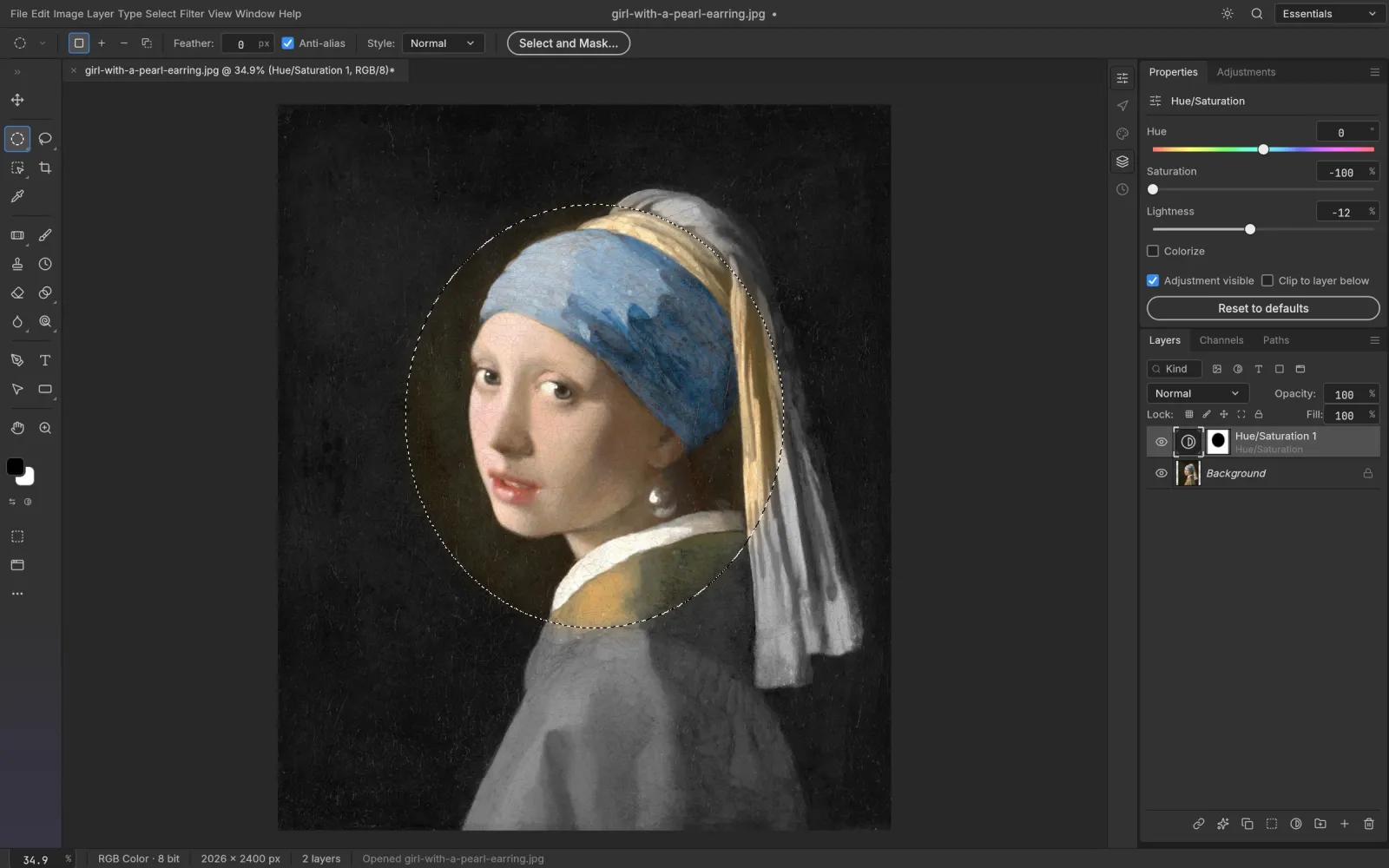
Screenshots from the PhotoCraft repository (docs/images). Artwork in the screenshots is public domain.
PhotoCraft vs Photoshop at a glance
The short version: PhotoCraft covers a surprising amount of Photoshop for free, but Photoshop is still far ahead on AI, plug-ins and polish.
| PhotoCraft | Adobe Photoshop | |
|---|---|---|
| Price | Free | Creative Cloud subscription |
| License | Open source (MIT or Apache-2.0) | Proprietary |
| Platforms | Windows, macOS, Linux, FreeBSD, browser | Windows, macOS, iPad, web |
| Layers, masks, adjustment layers | Yes, 16 adjustment layer types | Yes |
| Layer styles | Drop Shadow, Glow, Bevel & Emboss, Stroke, Overlays and more | Yes |
| PSD and PSB files | Opens, edits and saves them; fidelity still improving | Native format |
| Smart selection | Select Subject, Object and Quick Selection, run on your machine | Yes, plus cloud features |
| Generative AI (Generative Fill etc.) | No | Yes (Adobe Firefly) |
| Plug-ins (.8BF, UXP) | Not compatible yet | Yes |
| Colour | RGB, CMYK, Lab, Grayscale at 8/16/32-bit, ICC profiles | Yes |
| Automation | CLI, batch processing and an MCP server for AI agents | Actions, scripting, UXP |
| Maturity | Early alpha, releases every few days | Industry standard for 35+ years |
PhotoCraft is one of 12 ArtCraft apps. See the full free Adobe alternative suite →
Should you switch?
PhotoCraft is a good fit if you:
- want a free, offline editor that works the way Photoshop does;
- need to open and tweak PSD files without a subscription;
- use Linux or FreeBSD, where Photoshop doesn't run;
- want to script image edits or let an AI agent drive an editor.
Stay with Photoshop for now if you:
- depend on Generative Fill or other Firefly features;
- rely on third-party plug-ins or UXP panels;
- exchange PSDs with clients and need Photoshop to open your files every time;
- can't afford rough edges in a deadline workflow.
How to get PhotoCraft
- Download the installer for your system from the official GitHub releases page or the PhotoCraft page on getartcraft.com. Never from a mirror site.
- Windows: run the .msi installer, or unzip the portable build. macOS: open the .dmg and drag PhotoCraft to Applications. Linux: use the AppImage, Flatpak, .deb or .rpm.
- Open PhotoCraft, then use File › Open on a PSD, JPEG or PNG to start editing.
Step-by-step guides for each system: Windows · macOS · Linux
Once it is open, start with the editing lessons: PhotoCraft guide
What PhotoCraft can't do yet
- No generative AI features.
- No support for Photoshop plug-ins (.8BF) or UXP panels.
- PSDs saved by PhotoCraft don't always open cleanly in Photoshop, and some Photoshop files don't render exactly the same.
- Brush feel, transform handles and interactive speed still lag behind Photoshop.
- Type on a path, the OpenType panel and several advanced type features are missing.
- Select and Mask, Content-Aware Fill and Vanishing Point are simple dialogs, not full workspaces yet.
Summarised from the project's own gap list, last reviewed by the developers in October 2026.
Frequently asked questions
Is PhotoCraft made by Adobe?
No. PhotoCraft is an independent open-source project by the ArtCraft team. It was written from public specifications and observed behaviour, without Adobe code, and is not affiliated with or endorsed by Adobe.
Is PhotoCraft really free?
Yes. It is free to download and use, including commercially, under the MIT or Apache-2.0 license. There is no account and no subscription.
Can PhotoCraft open PSD files?
Yes. It opens, edits and saves PSD and PSB files with layers, masks, adjustment layers, layer styles, type and shapes. Fidelity is still improving, so keep a backup of important files.
Does PhotoCraft run on Linux?
Yes. There are AppImage, Flatpak, .deb, .rpm and tarball builds for x86_64 and ARM64, a riscv64 tarball, and a FreeBSD 14 build.
Is there an online version of PhotoCraft?
The whole app compiles to WebAssembly and every release includes a web build. The developers ship it for you to host yourself; PhotoCraft Guide hosts the unmodified build, unofficially, so you can try it in your browser.
Can I use PhotoCraft in Chinese or other languages?
Yes. Since version 0.3.0 the interface is available in Simplified and Traditional Chinese, Japanese, Spanish, Russian and Czech, under Edit › Preferences › Interface › Language.
Is PhotoCraft better than GIMP?
They aim at different users. PhotoCraft copies Photoshop's layout and shortcuts and supports PSD layer styles and adjustment layers, so Photoshop users adapt faster. GIMP is far more mature and has a large plug-in ecosystem.