Open a file
Use File › Open, the recent-file list, or drop a file on the window. PSD and PSB are the Photoshop formats. JPEG, PNG and the camera-raw formats the project lists (DNG, CR2, NEF, ARW, RAF) open too. CR3 is not in that list.
- Install an official build. Download PhotoCraft from the GitHub releases or the PhotoCraft page on getartcraft.com. This guide does not host installers.
- Open the document. Choose File › Open and pick a PSD, JPEG or PNG. Dropping the file on the window opens it the same way.
- Keep a native copy. Use Save As and choose .pcraft when you will reopen the document in PhotoCraft. That format is the project's lossless one, with incremental save and crash recovery.
- Export a flat picture. Use Export As to pick the format, quality, transparency and scale. The dialog shows a preview and a file-size estimate. Quick Export writes a PNG in one step.
Which file to keep
PSD and PSB
PSD is the interchange format. PhotoCraft opens, edits and saves PSD and PSB. The project says re-saving keeps the render for 307 of 309 files in the psd-tools test set. Its gap list also says only about half of Photoshop-authored test files render exactly like Photoshop so far.
.pcraft
.pcraft is PhotoCraft's own format. Keep it while you are still editing in PhotoCraft. Save a PSD when someone else has to open the layers in another program. Once a flat image gains layers, Save uses PSD so those layers have a file that can hold them.
PNG, JPEG and OpenRaster
Export As and Quick Export flatten what you see. Use them for a finished picture, not for the layered document. OpenRaster (.ora) can carry pixel layers, groups, names and blend modes. The project documents what a save drops: adjustment layers, layer styles, vector masks and live type are not kept as editable objects.
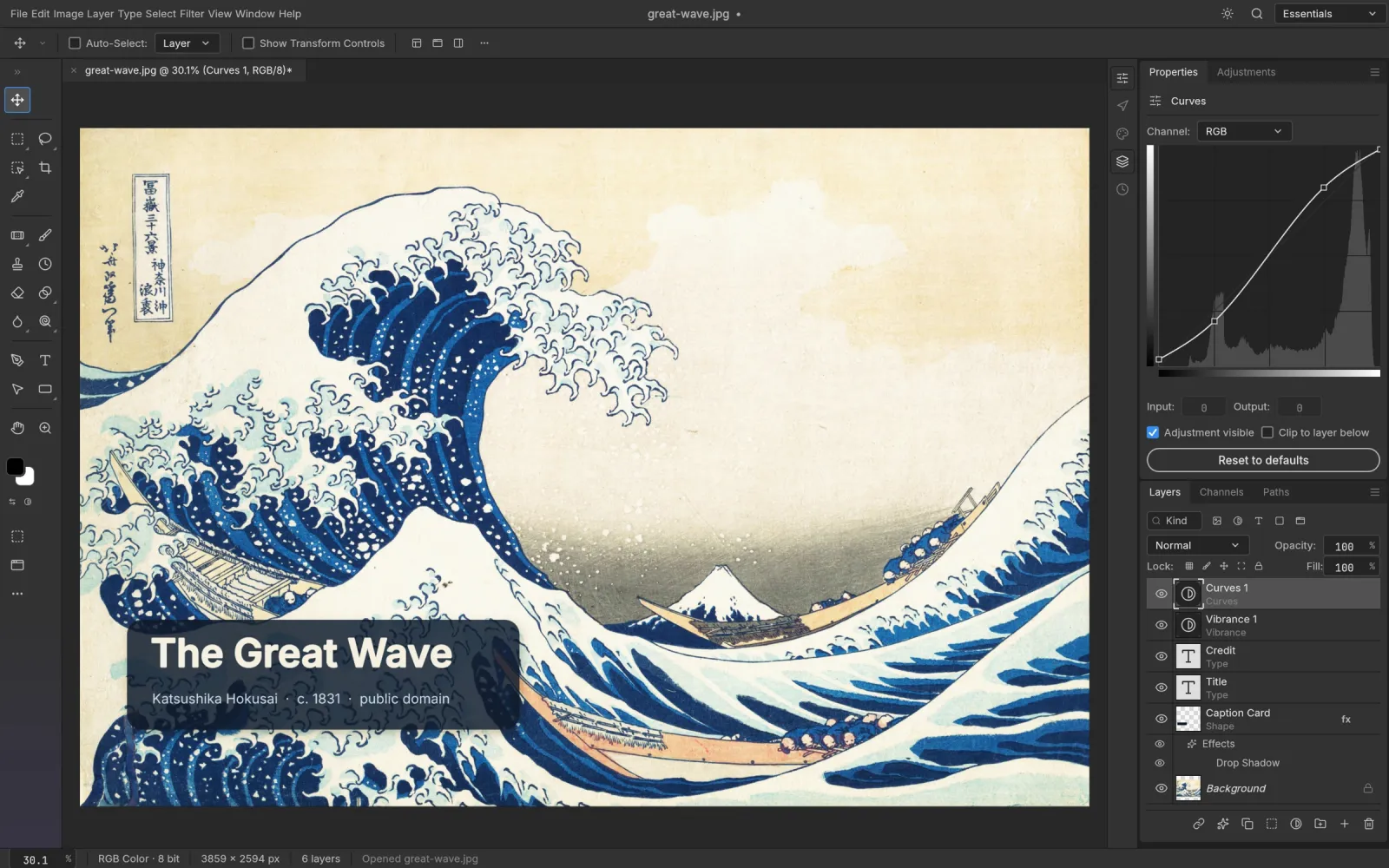
Screenshot from the PhotoCraft repository (docs/images). Artwork in the screenshot is public domain.
Frequently asked questions
Can PhotoCraft open PSD files?
Yes. File › Open, the recent-file list and dropping a file on the window all open PSD and PSB. Fidelity is still improving.
Should I save as PSD or .pcraft?
Save .pcraft while you are editing in PhotoCraft. Save a PSD when someone else has to open the layers. Export PNG or JPEG when you only need the finished picture.
Where do I download PhotoCraft?
From the GitHub releases or getartcraft.com. This site only links to those files and does not host installers.